AI gold signals,
live on your phone.
Gold AI scans XAUUSD on every 15-minute candle and sends entry, stop-loss and take-profit with the backtested odds of each setup — to your phone, your browser and MetaTrader 5. One full signal every week is free.
The MetaTrader expert runs on a computer (Windows, Mac or Linux), not in the MT5 phone app.
⚡ One-click scan
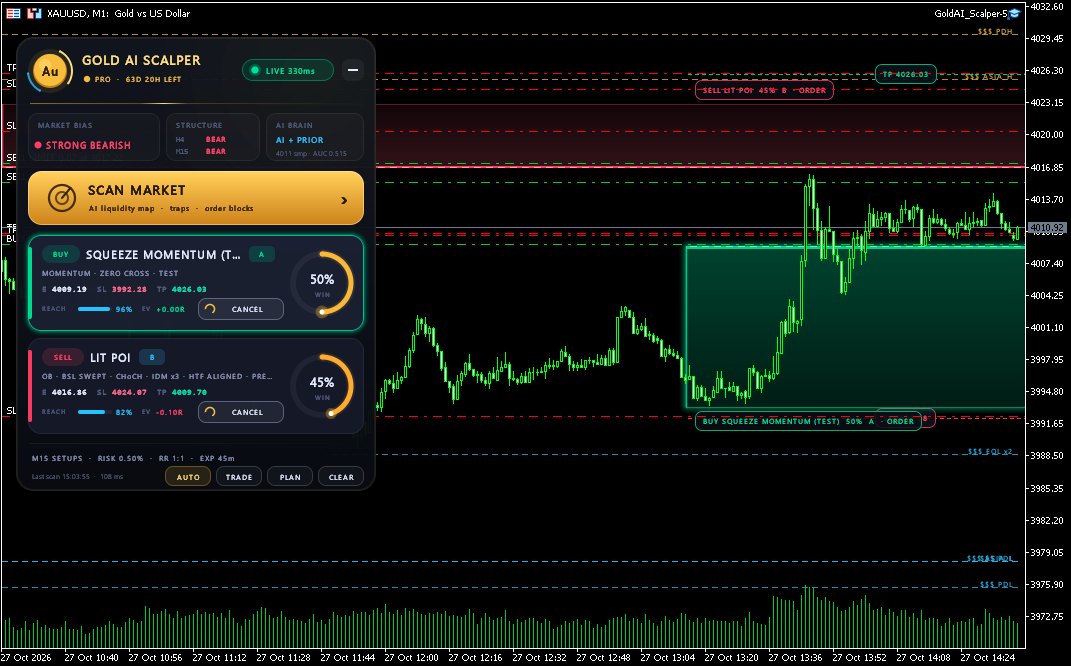
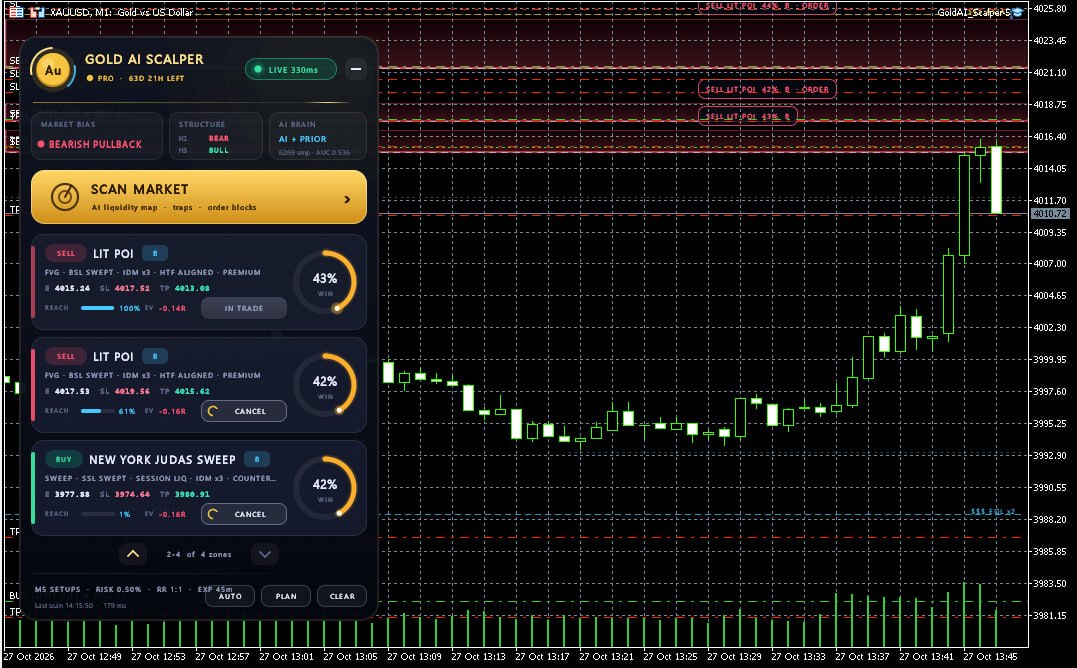
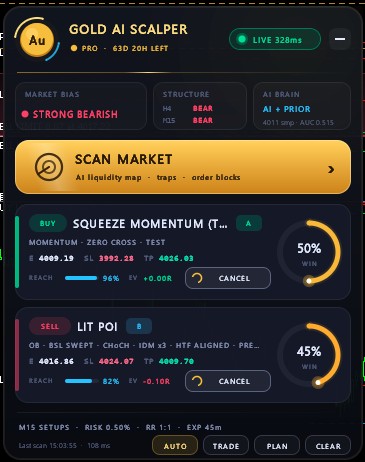
Zones, liquidity pools and LIT setups in a fraction of a second — no indicators, pure price action.
🧠 Honest AI
Every zone gets a calibrated hit-probability learned daily from real XAUUSD history.
🎯 Place in one click
Each zone has its own button: limit order with stop, target and risk-based lot size.
⏱ Built for M15
Focused on the 15-minute chart with H4 context — the timeframe where the setups proved themselves.
📱 Alerts on your phone
Every new signal is pushed to MetaTrader on your phone, with entry, stop and target.
🤖 Optional auto-trade
Switch on TRADE and the expert places the backtested setups for you. Off by default.
Signals in your pocket.
Wherever you are.
Step away from the desk. GOLD AI keeps scanning XAUUSD on your computer and the moment a setup forms, it lands on your phone's lock screen — direction, entry, stop-loss and take-profit, ready to act on.
Install MetaTrader 5 on your phone
Free on the App Store and Google Play.
Copy your MetaQuotes ID
In the phone app open Settings → Messages and copy the ID shown there.
Paste it into MetaTrader on your computer
Tools → Options → Notifications, paste the ID and tick Enable push notifications. Done — keep MetaTrader running (a VPS works great).
See it in action
Real screenshots from MetaTrader 5 — click to enlarge.
Simple pricing
Start with 7 free days. Pay in USDT — activates automatically.
📱 Get the Gold AI app — free
No MetaTrader, no computer, no card. Install it, turn on alerts and you're in.
⚡ Want every live signal?
Unlock the full app any time — every signal with push alerts, News Guard and the MetaTrader expert, same key.
Not sure yet? Start with the free app and upgrade from inside it whenever you like.
Want it right away? Press BUY on the panel's first screen — your 7 free days are kept and paid days start after them.
Get started
Works in MetaTrader 5 for Windows, Mac and Linux (desktop). The MT5 mobile app cannot run experts.
- Download the expert and copy it to MQL5/Experts.
- In MT5: Tools → Options → Expert Advisors, tick Allow WebRequest and add https://signalmind.app and https://aigold.jaf10.online (the expert uses whichever works).
- In the same window tick Allow DLL imports — it lets the expert open the payment page in your browser with one click.
- Drag GoldAI_Scalper onto an XAUUSD chart. In its Dependencies tab make sure Allow DLL imports is ticked, press OK, then press START FREE TRIAL.
Today on gold
Gold today: trend, levels & news · This week's calendar · Signal results
Questions
What is GOLD AI?
GOLD AI watches gold (XAUUSD) around the clock and sends you ready-made trade ideas: buy or sell, entry, stop-loss and take-profit. Every setup was tested on a full year of gold data, and each signal shows how often that setup reached its target. You decide whether to take it. 🙂
Is anything free?
Yes! Free members get one full signal every week, the economic news calendar with alerts, all closed results, the Gold Today card, market sessions and price alerts. Tap "Turn on free alerts" on the Live tab.
How much does it cost?
App + MetaTrader: $29 a month or $79 for 3 months — every live signal with push alerts on your phone, plus the MT5 expert with the same key. MetaTrader only: $19 a month or $49 for 3 months, with a 7-day free trial.
How do I pay?
With USDT (TRC20, BEP20 or ERC20). Tap a plan, pick the network, and send the exact amount shown. The app unlocks by itself a few minutes after the payment confirms — no need to message anyone. Stuck? Write to us here.
How many signals will I get?
It depends on the market — usually a few a day on gold, from several different setups. Quiet days have fewer, busy days more. There are no signals late Friday or early Monday when the market is thin.
How do I use a signal?
Each card shows entry, stop-loss and target. Copy the levels into your broker (the Copy button helps). "Enter now" means a market order; "Limit" means a pending order at the entry price. Use a lot size that risks a small part of your account on the stop — 1% is a good habit.
Which target should I use, 1:1 or 1:2?
Both are shown. Where our tests found the bigger target earns more over time, the card says "★ Suggested target 1:2". You can switch the target the app shows in Settings.
Do I need MetaTrader?
No. The app works on any phone or in the browser. If you also use MetaTrader 5 on a computer, the GOLD AI expert is included with the app plan and can even place the trades for you.